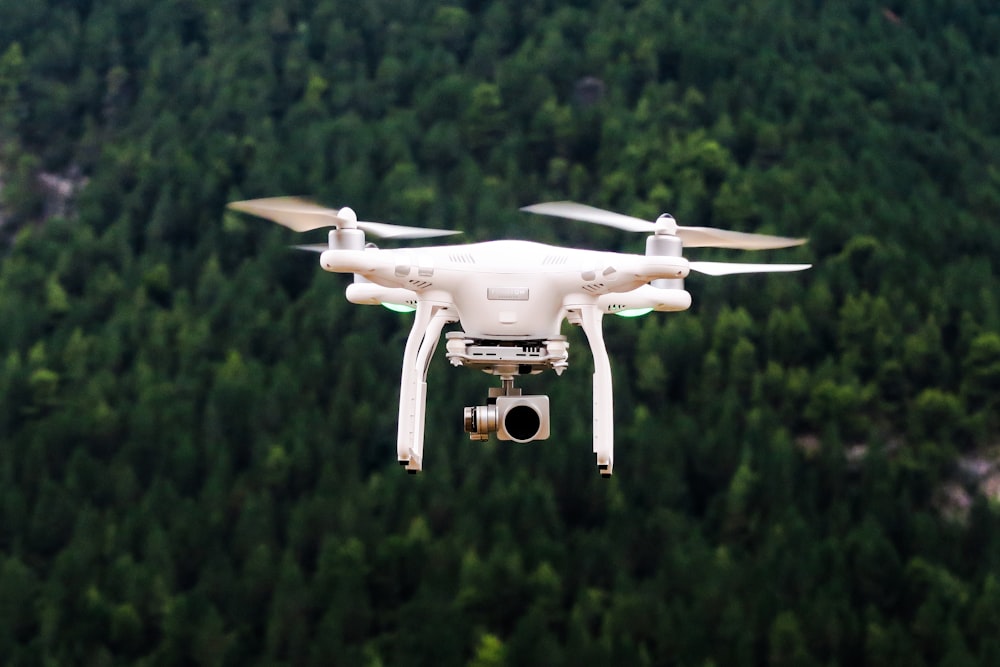
The Drone Doesn't Make the Shot — You Do
Every beginner's first drone flights look the same: straight up, spin around, marvel at the view, land. The footage is usually shaky, overexposed, and compositionally chaotic. The drone is just a camera platform — the same principles that make ground-level photography great apply in the air. Composition, light, and patience are everything.
I fly a DJI Mini 4 Pro. Most of what I'll cover applies to any DJI, and the composition principles apply to every drone.
Camera Settings: Get Off Auto Mode Immediately
Auto mode is tempting and will give you mediocre results. Here's what I actually use:
For Photos
- Shoot RAW: Always. JPEG bakes in compression. RAW gives you latitude to fix exposure and white balance in Lightroom.
- ISO: Keep it as low as possible (ISO 100–200). Higher ISO = more noise, especially visible in drone shots of gradients (sky, water).
- Aperture: On most drone cameras with fixed aperture, this isn't adjustable. If yours is, f/4–f/5.6 is usually optimal for aerial sharpness.
- Shutter speed: Aim for fast shutter (1/500s+) to freeze any motion. Bright daylight makes this easy. At golden hour you'll need to bump ISO slightly.
For Video
The 180-degree shutter rule: set your shutter speed to double your frame rate. Shooting 24fps? Shutter = 1/50s. This gives natural motion blur. Most beginners shoot with too-fast shutter speed for video, which looks unnatural (the "soap opera effect" but in reverse).
- Frame rate: 24fps for cinematic. 60fps if you want slow-motion options.
- ND filters: Essential for following the 180° rule in bright conditions. I use ND16 and ND64 most often.
- Color profile: Shoot D-Log or D-Cinelike if your drone supports it. Flat profile = more dynamic range = more room in post.
- Resolution: 4K is fine. 5.1K or above creates large files without proportionally better results unless you're zooming in post.
Composition: What Makes Aerial Shots Work
Aerial photography unlocks compositional possibilities that don't exist on the ground. Use them intentionally:
Leading Lines From Above
Roads, rivers, fences, coastlines, and shadows all become powerful leading lines when viewed from above. Position your subject at the end of a natural line and let the viewer's eye travel to it.
Top-Down (Nadir) Shots
Pointing the camera straight down reveals patterns, textures, and symmetries invisible at any other angle. Rooftops, fields, markets, swimming pools, forests, and city blocks all have fascinating top-down compositions. This angle is uniquely aerial.
The Golden Hour is Mandatory
Harsh midday light flattens everything and blows out highlights. The hour after sunrise and before sunset transforms landscapes. The low angle creates long shadows, adds depth and texture, and turns ordinary scenes into something cinematic. Bogotá, Istanbul, Medellín — every city looks extraordinary at golden hour from the air.
Rule of Thirds — Still Applies
Putting your horizon or main subject in the center is a rookie mistake in the air just as much as on the ground. Enable your drone's grid overlay and place horizon lines and subjects on the thirds.
Altitude Changes Everything
20 meters vs 100 meters vs 400 meters can produce completely different compositions from the exact same location. Before taking the "definitive" shot, hover and experiment with altitude. The right height for a coastline might be 50m; for a city grid, it might be 300m.
Flight Planning Tips
- Scout first on Google Earth: Before driving somewhere, fly the area in Google Earth to identify promising compositions, obstacles, and legal flight zones.
- Check wind forecast: Windfinder or UAV Forecast are better than general weather apps for drone wind data. Above 30 km/h, consumer drones struggle.
- Plan for golden hour: Use PhotoPills or The Photographer's Ephemeris to know exactly where the sun will rise/set and cast shadows.
- Battery awareness: Each battery is one "session." Plan your shots in advance so you're not burning battery on test flights.
Regulations (Colombia, Turkey, and General)
Always check current rules before flying — regulations change frequently. Here's a general overview:
Colombia (AEROCIVIL)
- Drones under 2kg: register with AEROCIVIL (free, online)
- Max altitude: 400ft AGL (122m)
- Never fly over crowds, near airports, or in restricted airspace
- App: DroneAware or DJI Fly both show Colombian restricted zones
Turkey (SHGM)
- Drones under 500g: minimal restrictions in most areas
- Drones 500g–4kg: require SHGM registration and IHA-U operator certification
- Many historical sites (Hagia Sophia, Cappadocia) require special permits
- Absolutely no flying over crowds or sensitive government buildings
Universal Rules
- Always maintain VLOS (Visual Line of Sight)
- Never fly over people without explicit permission
- Respect privacy — don't photograph people's private spaces
- Never fly near emergency operations
My Gear (2026)
- Drone: DJI Mini 4 Pro — best balance of image quality, portability, and regulations (under 250g)
- ND Filter Set: PolarPro Peter McKinnon Edition (ND8, ND16, ND64)
- Extra batteries: Minimum 3 per session
- Editing: Lightroom for photos, DaVinci Resolve for video
Key Takeaways
- Shoot RAW for photos, flat color profile for video — post-processing latitude is everything
- Follow the 180° shutter rule for video; use ND filters to maintain it
- Golden hour isn't optional — it's when drone footage looks cinematic
- Use top-down and leading lines — compositions unique to aerial that ground cameras can't replicate
- Always check your local regulations before flying; they vary and change