How FDM 3D Printing Actually Works
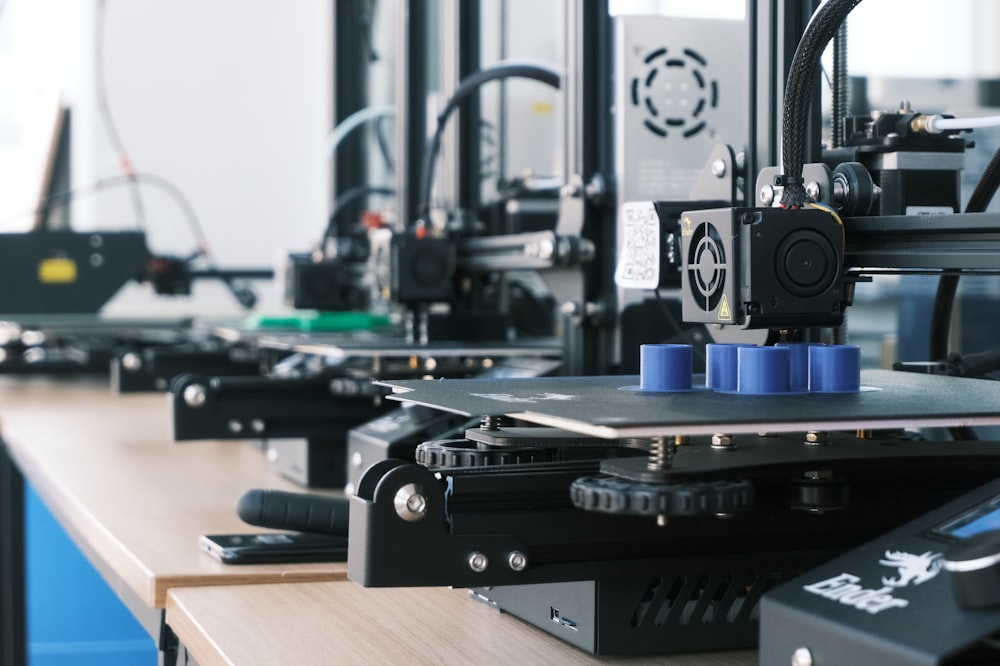
FDM stands for Fused Deposition Modeling. The process is straightforward: a spool of plastic filament feeds into a heated nozzle (the hotend) that melts the plastic. A motion system (usually CoreXY or Cartesian) moves the nozzle in 2D (X and Y axes) while the bed moves down (Z axis) between layers. The printer builds the object from the bottom up, one layer at a time.
Layer height is typically 0.1–0.3mm. A 10cm tall object at 0.2mm layer height requires 500 layers. Printing speed ranges from 50mm/s (cautious) to 500mm/s+ on modern machines like the Bambu X1C.
Choosing Your First Printer
The market in 2026 has two clear tiers:
Budget Tier ($200–$400): Great for Learning
- Bambu A1 Mini ($300): My current recommendation for beginners. Near-zero calibration, excellent software (Bambu Studio), multi-color capable with the AMS Lite. It just works.
- Creality Ender 3 S1 Pro (~$250): The classic beginner machine. Large community, endless mods, but requires more tuning. Better learning experience if you want to understand the mechanics.
Enthusiast Tier ($500–$1500): If You're Serious
- Bambu X1 Carbon ($1199): Fastest mainstream printer available. Multi-color, enclosed, near-production quality. The engineering is exceptional.
- Prusa MK4 (~$800 assembled): The gold standard for reliability and print quality. Slower than Bambu but exceptionally well-engineered, massive community support.
- Voron 2.4 (kit, ~$600–1200): Self-built, fully open-source, extremely capable. Not for beginners — you'll spend 20–40 hours building it.
Filament Types: What to Use When
PLA — Start Here
PLA (Polylactic Acid) is beginner-friendly: prints at 200–220°C, doesn't warp, smells like caramel, and requires no enclosure. Biodegradable from cornstarch. Excellent for most prints: decorative objects, prototypes, toys, household items. Weakness: brittle under impact, softens above 60°C (don't leave in a car in summer).
Settings: Nozzle 215°C, Bed 60°C, speed 80–120mm/s, no enclosure needed.
PETG — The All-Rounder
PETG is tougher than PLA, slightly flexible, and heat-resistant to ~80°C. Great for functional parts: brackets, clips, phone stands, anything that takes light mechanical stress. Slightly more prone to stringing than PLA. My most-used filament.
Settings: Nozzle 235–245°C, Bed 70–80°C, speed 60–80mm/s, no enclosure needed.
ABS — The Hard One
ABS was the original "engineering" filament. Heat resistant to 100°C+, machinable, sandable. But it warps badly, emits styrene fumes (use in ventilated space), and requires an enclosure to print successfully. Most beginners skip it and use ASA (weather-resistant, better than ABS) or PETG instead.
TPU — Flexible Prints
TPU is a rubber-like flexible filament. Used for phone cases, gaskets, shoe insoles, anything that needs to flex and bounce. Needs a direct drive extruder (most modern printers). Print slowly: 25–40mm/s.
Essential Slicer Settings Explained
The slicer converts your 3D model (STL/3MF) into printer instructions (G-code). Bambu Studio and PrusaSlicer are both excellent. Key settings:
- Layer height: 0.2mm is the sweet spot — good quality, reasonable speed. 0.1mm for fine details, 0.3mm for drafts.
- Infill density: How solid the inside is. 15% for decorative objects, 40% for functional parts that need strength, 80–100% for maximum strength.
- Infill pattern: Gyroid or Cubic for strength. Grid for speed.
- Supports: Generated automatically for overhangs greater than 45°. Tree supports (organic branching) are gentler and easier to remove than linear supports.
- Brim: Adds extra material around the base to prevent warping and improve bed adhesion. Use for tall narrow objects.
- Wall count (perimeters): 3–4 walls for most prints. More walls = stronger outer shell.
Bed Adhesion: The #1 Beginner Problem
If your first layer doesn't stick, nothing that follows will work. Key factors:
- Level your bed: Most modern printers have automatic bed leveling (ABL). Run it before every print until you're confident.
- Clean the build plate: Isopropyl alcohol (IPA) before each print. Fingerprint oils kill adhesion.
- First layer height: Nozzle too high = won't stick. Too low = squished bead, dragging. The bead should be slightly flattened, not a perfect circle.
- PEI spring steel sheets: The best bed surface in 2026. PLA, PETG, and ABS all release easily when the plate cools. No glue stick needed for PLA/ABS; a thin layer of glue stick prevents PETG from bonding too aggressively.
Where to Get Models
- Printables.com (Prusa's platform): Huge library, free, great quality control
- Makerworld.com (Bambu's platform): Growing fast, many multi-color models
- Thingiverse.com: The OG. Massive but older/inconsistent quality
- Cults3D.com: Mix of free and paid, high quality
- Design your own: Fusion 360 (free for personal use) or Onshape (browser-based, free)
My Setup (2026)
- Printer: Bambu X1 Carbon (primary) + Bambu A1 Mini (second machine)
- Primary filament: Bambu brand PETG-HF and PLA Matte
- Slicer: Bambu Studio
- Post-processing: Dremel for cleanup, acetone for ABS smoothing, primer + spray paint for display pieces
Key Takeaways
- Start with PLA. It's forgiving, cheap, and available everywhere
- For a first printer in 2026: Bambu A1 Mini for simplicity, Ender 3 S1 for learning
- The slicer is 50% of the battle — learn it well
- Bed adhesion problems are always solvable: check levelness, clean with IPA, adjust Z offset
- The community is everything: r/3Dprinting, Printables forums, and YouTube are your troubleshooting tools